> ## Documentation Index
> Fetch the complete documentation index at: https://docs.siftly.ai/llms.txt
> Use this file to discover all available pages before exploring further.
# Products & readiness
> Manage your tracked catalog and see how ready each product is to win a place in AI shopping answers.
 ## Overview
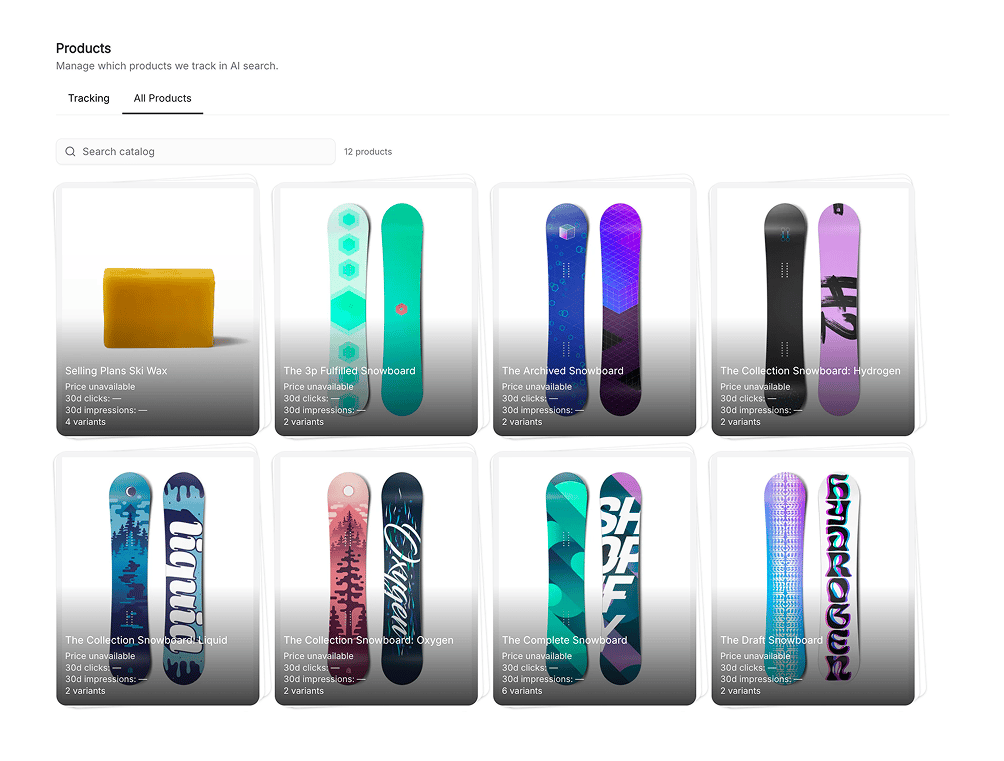
The Products page manages the catalog Siftly tracks and scores how **ready** each product is to appear in AI shopping answers. It's where you decide what to track and find the products with the most upside.
## Your catalog
* **Tracked vs. untracked**: choose which products Siftly analyzes; add or remove them at any time
* **Sync**: pull the latest catalog from [Shopify](/shopping/integrations/shopify) or [Google Merchant Center](/shopping/integrations/google-merchant-center)
* **Visibility score**: each product's current presence in AI answers, at a glance
## Product readiness
Readiness scores how well-positioned a product is to win on the shelf, across signals such as:
* **Content**: supporting blog posts, Collection Pages, and product pages
* **SEO/GEO presence**: whether the product is discoverable and cited
* **Pricing**: how competitive its price is
* **Reviews and social**: the strength of third-party signals
Open any product to see its readiness detail, linked content, top citing sources, and recent interventions.
## Untapped wins
Siftly highlights products that aren't yet appearing in AI answers but look ready to. These are your highest-leverage candidates for [Product Optimization](/shopping/content/product-optimization) and [Content](/shopping/content/blog).
Start with untapped wins that already have strong product data. They often need only a content push or a feed cleanup to break onto the shelf.
## Related
Optimize a product's data for AI shopping.
See how products contribute to shelf share.
Check pricing and buy-button control per product.
Sync your catalog.
## Overview
The Products page manages the catalog Siftly tracks and scores how **ready** each product is to appear in AI shopping answers. It's where you decide what to track and find the products with the most upside.
## Your catalog
* **Tracked vs. untracked**: choose which products Siftly analyzes; add or remove them at any time
* **Sync**: pull the latest catalog from [Shopify](/shopping/integrations/shopify) or [Google Merchant Center](/shopping/integrations/google-merchant-center)
* **Visibility score**: each product's current presence in AI answers, at a glance
## Product readiness
Readiness scores how well-positioned a product is to win on the shelf, across signals such as:
* **Content**: supporting blog posts, Collection Pages, and product pages
* **SEO/GEO presence**: whether the product is discoverable and cited
* **Pricing**: how competitive its price is
* **Reviews and social**: the strength of third-party signals
Open any product to see its readiness detail, linked content, top citing sources, and recent interventions.
## Untapped wins
Siftly highlights products that aren't yet appearing in AI answers but look ready to. These are your highest-leverage candidates for [Product Optimization](/shopping/content/product-optimization) and [Content](/shopping/content/blog).
Start with untapped wins that already have strong product data. They often need only a content push or a feed cleanup to break onto the shelf.
## Related
Optimize a product's data for AI shopping.
See how products contribute to shelf share.
Check pricing and buy-button control per product.
Sync your catalog.