

Overview
Content generates blog posts that are grounded in your brand and product data: buying guides, comparisons, and how-tos that answer the questions shoppers ask AI. Instead of starting from a blank page, you start from your products, your evidence, and the gaps where you’re not yet showing up. Every post is built to earn citations from AI shopping engines, then published in a click to your Shopify blog.Creating a post
1
Pick a product and topic
Go to Content → Generate new content, choose the product to ground the post in, and give it a topic or angle.
2
Choose how involved you want to be
Pick an interaction mode (see below), then start generation.
3
Let it generate
The pipeline runs in the background and opens the editor when the draft is ready.
The pipeline
Content runs a five-phase pipeline. Each phase builds on the last.- Analysis collects signals about your product, market, competitors, and brand.
- Topic strategy designs the post: its angle, headline, structure, and target length.
- Research ranks the supporting evidence and finds gaps to fill.
- Writing drafts the post, citing its evidence inline.
- Validation checks that every claim is grounded and on-brand, rewriting where needed.
Grounded evidence
Every signal Siftly collects (a product detail, a competitor pattern, a brand fact) becomes a piece of evidence in a Grounded Evidence Pool. The writer cites that evidence inline as it drafts, and validation enforces that claims trace back to it. The result is content that’s specific and defensible rather than generic. That’s exactly what AI shopping engines prefer to cite.The editor
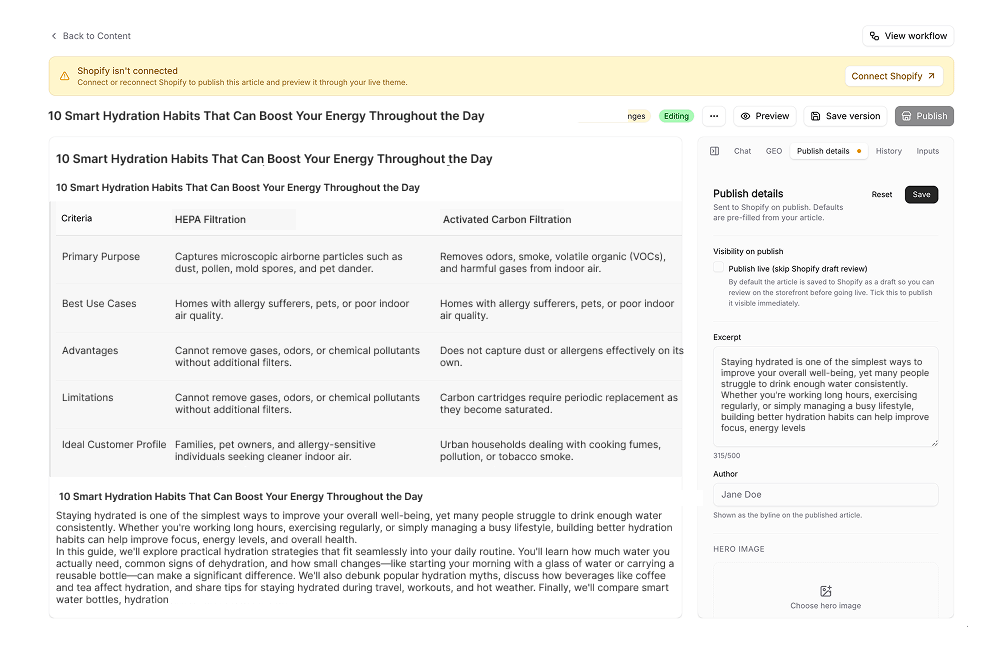
The editor shows the rendered post on the left and tools on the right:- Chat: refine the draft in plain language, scoped to a section or the whole post.
- GEO Optimization: quality signals like readability, keyword coverage, and internal links.
- Publish: SEO metadata, hero image, and publishing options.
- History: versioned snapshots of every accepted edit.
- Inputs: the evidence, research, and citations behind the draft.
Publishing
When the post is ready, click Approve to unlock publishing, then publish to your Shopify blog as a Draft or Published article. After publishing, Siftly keeps the canonical URL so the post can be tracked in your Citations.Related
Collection Pages
Build AI-ready Shopify collection pages.
Knowledge Hub
Ground every post in your brand’s facts and voice.
Citations
See which sources AI engines cite in your market.
Shopify
Connect your store to publish posts.