

Overview
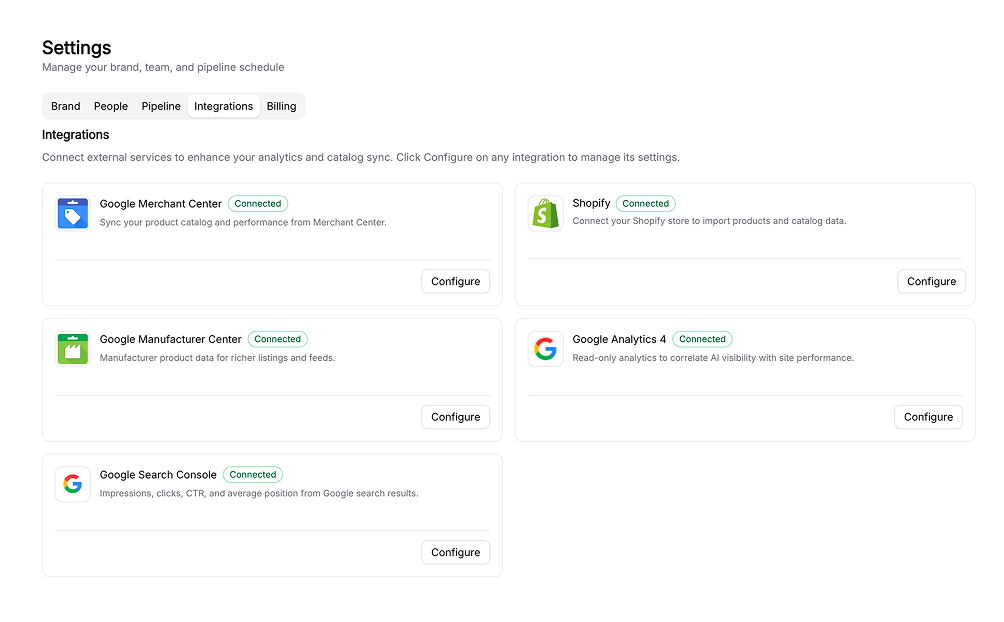
Integrations are how Siftly Shopping gets your data in and pushes your improvements back out. Some bring your catalog and feeds into Siftly; others let you publish content and product updates; and others add analytics, from visitor traffic to AI crawler activity, so you can connect AI visibility to what actually reaches your store.Supported integrations
Shopify
Sync your catalog and publish blog posts, Collection Pages, and product updates.
Google Merchant Center
Sync your product feed and push optimized attributes back to Google.
Google Manufacturer Center
Publish authoritative, brand-owned manufacturer attributes.
Google Analytics 4
Measure AI-assistant referral traffic to your store.
Google Search Console
Track organic search clicks, impressions, and position.
Cloudflare
See which AI and search crawlers read your store, by bot and page.
At a glance
How connecting works
1
Open Integrations
Go to Settings → Integrations. Each integration has a card showing its connection status.
2
Authorize
Click Connect and complete the secure OAuth flow (or install from the Shopify App Store). You never share a password with Siftly.
3
Pick your account
For the Google integrations, choose the specific account, property, or site to connect.
4
Sync and use
Siftly syncs in the background, and the integration begins powering the dashboards and tools above.
Related
Quickstart
Connect your catalog and run your first analysis.
Product Optimization
Optimize products and submit them to Google.